Trucking Dispatch System for an 80+ Truck Carrier
A custom dispatch dashboard built to help the team manage loads, driver updates, PODs, and delivery risk without chasing every update through calls and texts.
The workflow was too dependent on manual follow-ups
Dispatchers were chasing updates
Load status and driver progress often needed calls, texts, or manual checking.
PODs slowed down billing
When paperwork came late, invoicing and internal follow-up became slower.
Delivery risk was hard to catch early
The team needed a better way to see issues before they became broker complaints.
Too much work lived outside the system
Updates, documents, and decisions were spread across people, tools, and conversations.
What changed
Before
- Calls and messages for basic updates
- Dispatchers manually checking load progress
- Documents coming through scattered channels
- Risk noticed late
- Owner/manager asking for status
After
- One dashboard for active loads
- Driver progress visible in one place
- POD uploads connected to the load
- Delivery risk easier to spot
- Cleaner workflow for dispatch and admin
Inside the system
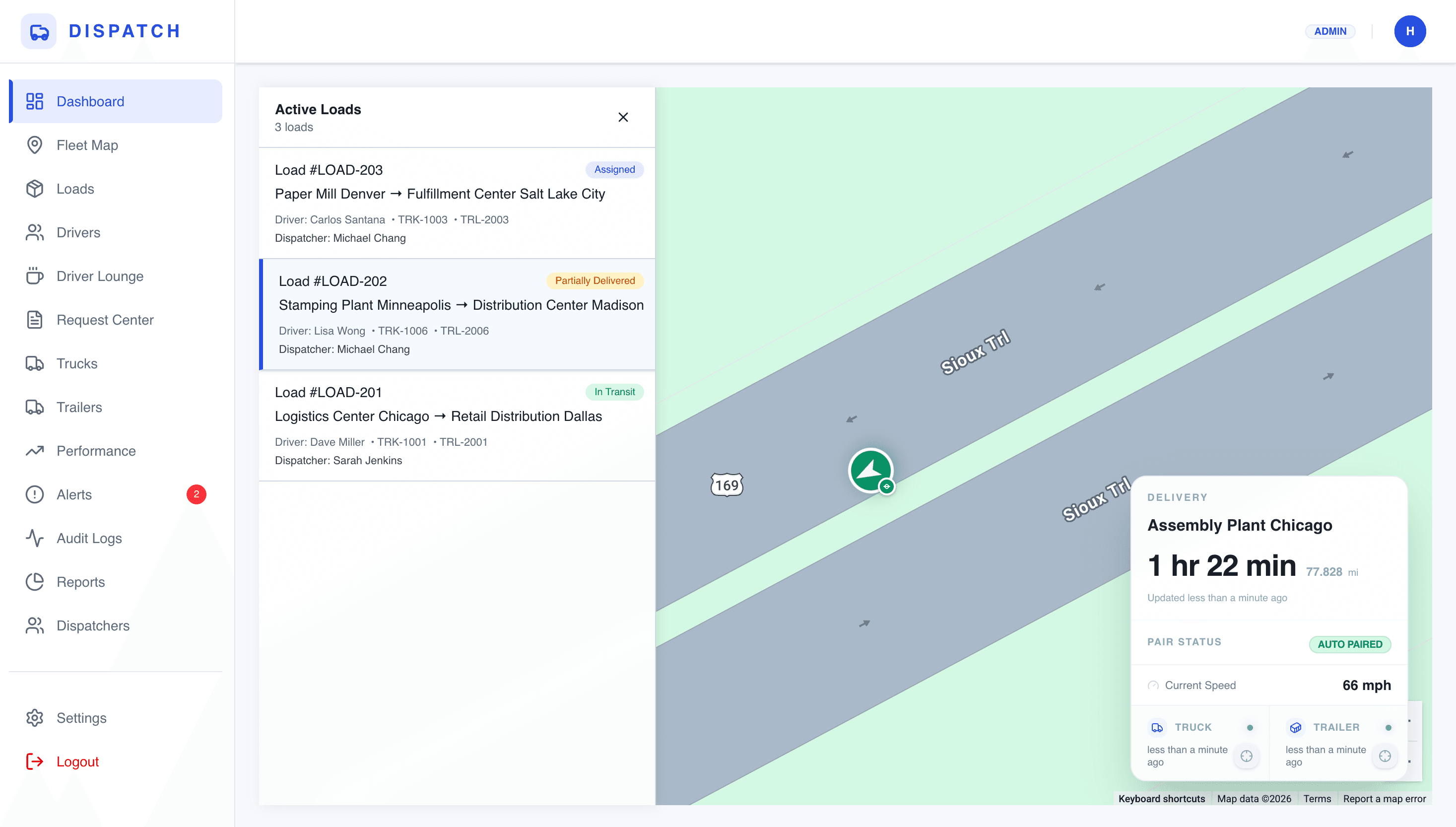
Dispatch dashboard
A central place to see active loads, driver status, and what needs attention.
Why it matters
Dispatch can check progress without calling every driver.
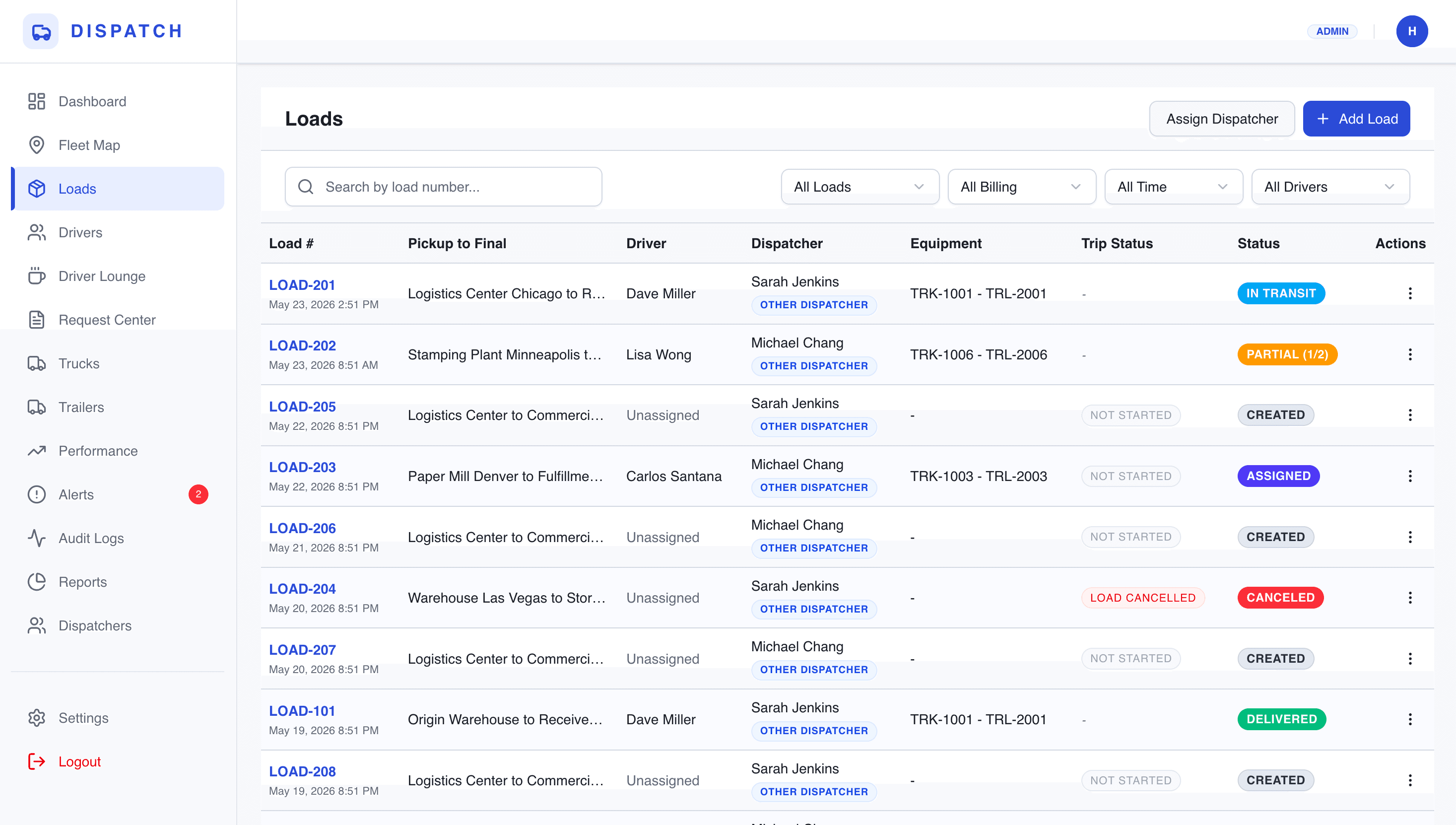
Load detail view
Each load keeps the important information together — driver, route, documents, status, and updates.
Why it matters
The team does not have to search across messages and spreadsheets.
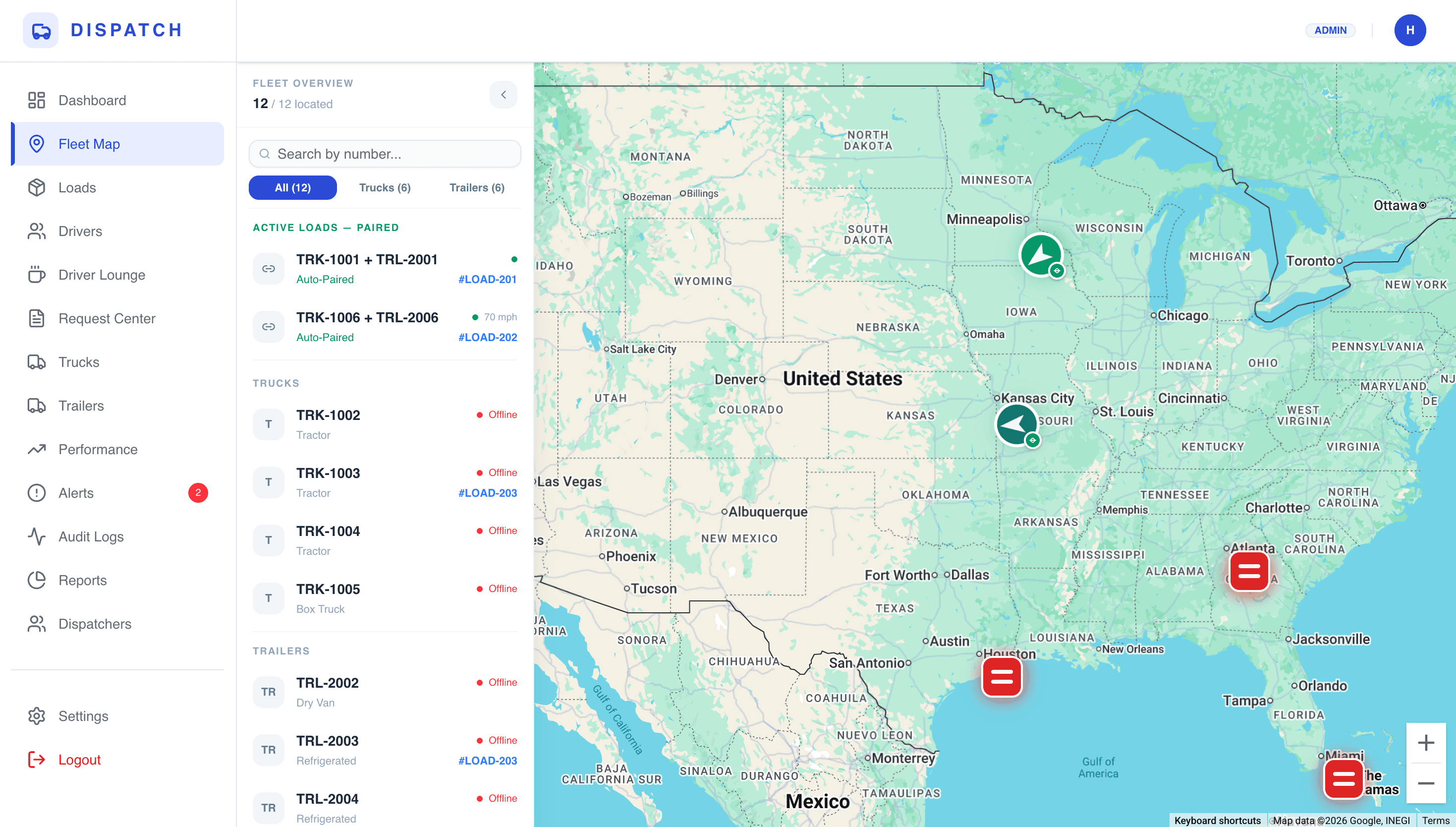
Fleet map view
A live map where every active truck and trailer can be seen in real time.
Why it matters
Provides instant visibility of the entire fleet without checking individual loads or calling drivers.
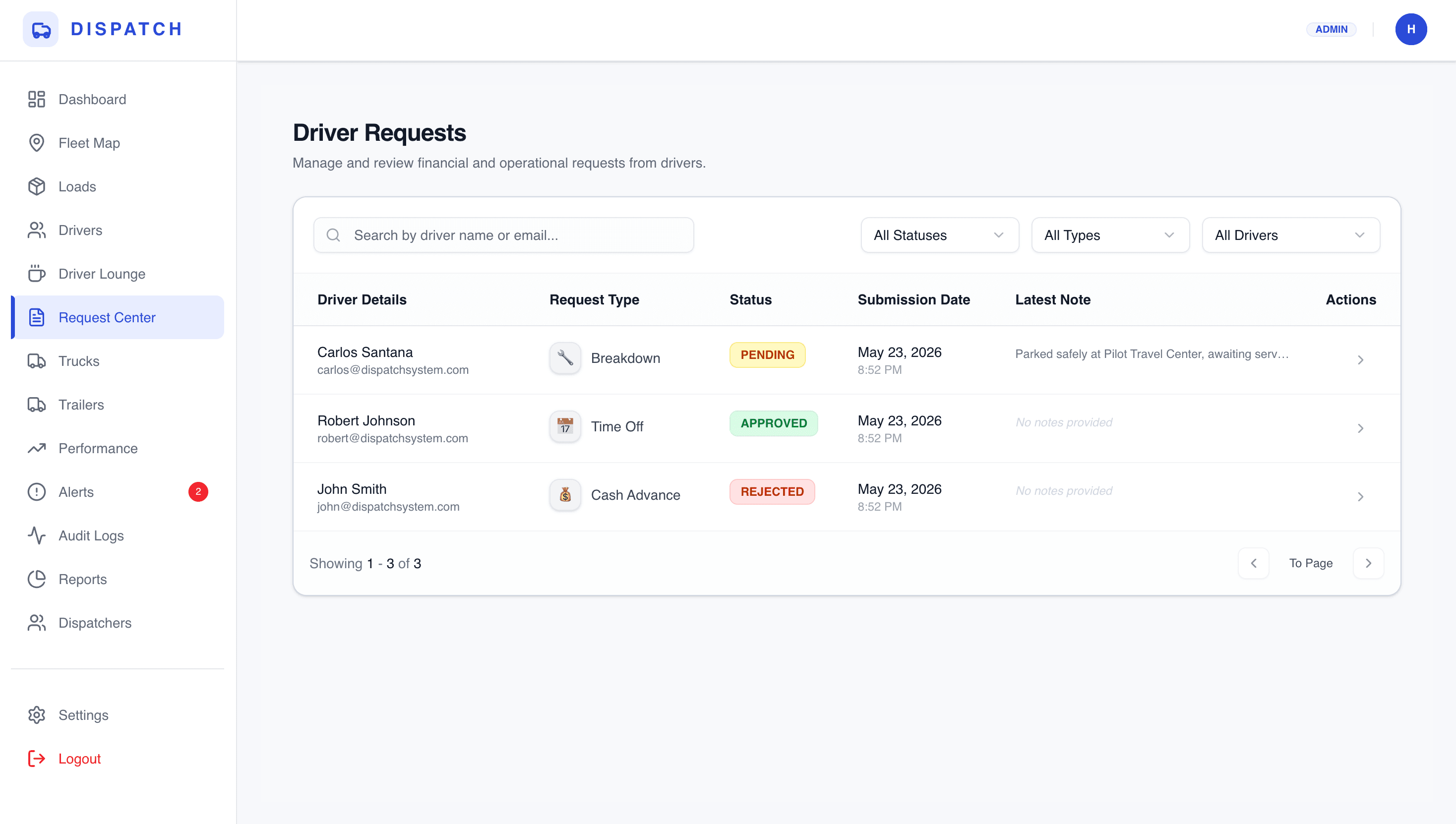
Driver request center
A dedicated place for dispatchers to manage, approve, or reject driver breakdowns, time-off requests, and cash advances.
Why it matters
Keeps important operational requests organized and actionable instead of getting lost in text messages.
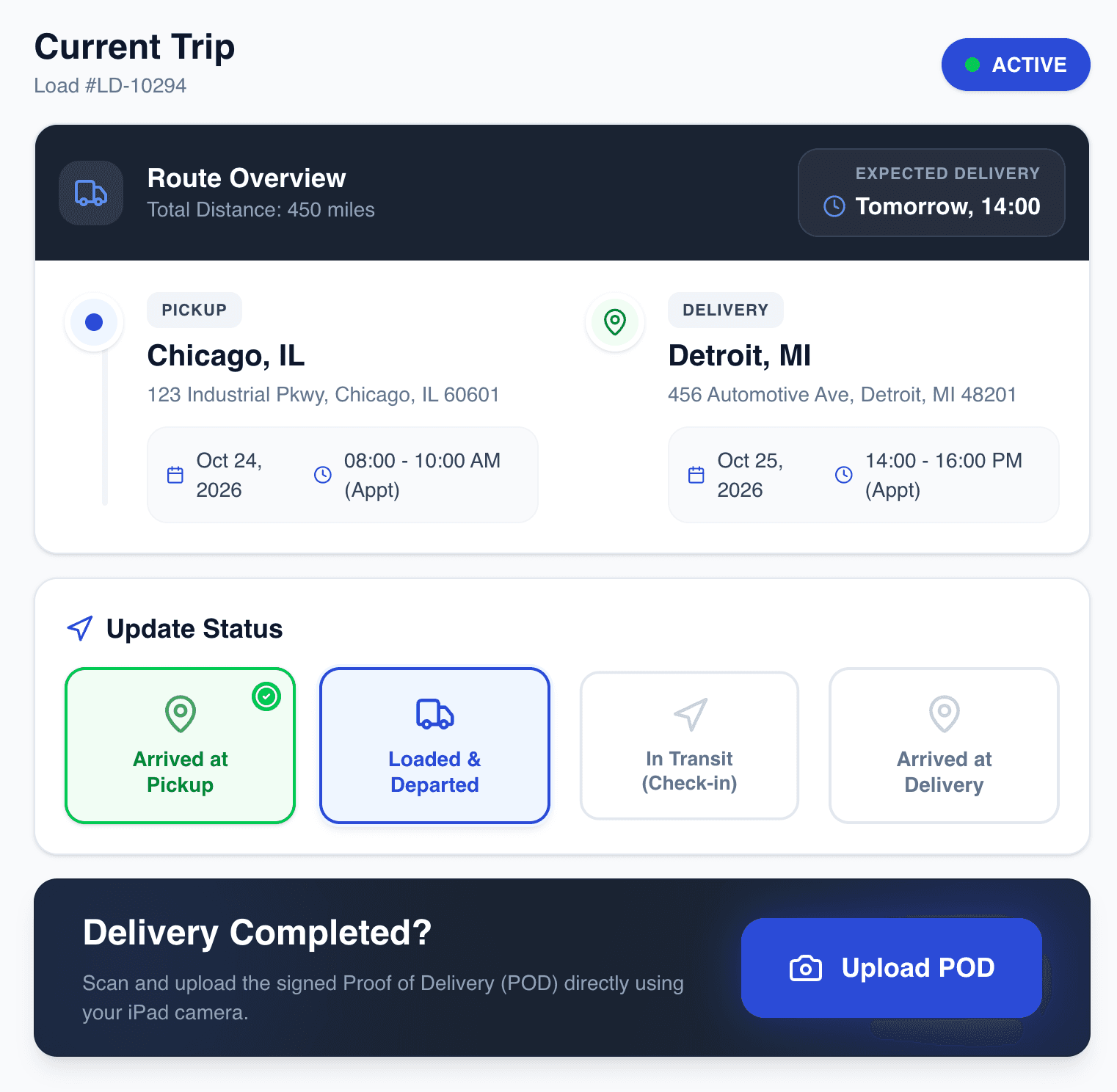
Driver workflow
Drivers can receive load details, update trip progress, and upload PODs from their side.
Why it matters
Updates come back into the system instead of staying in calls or texts.
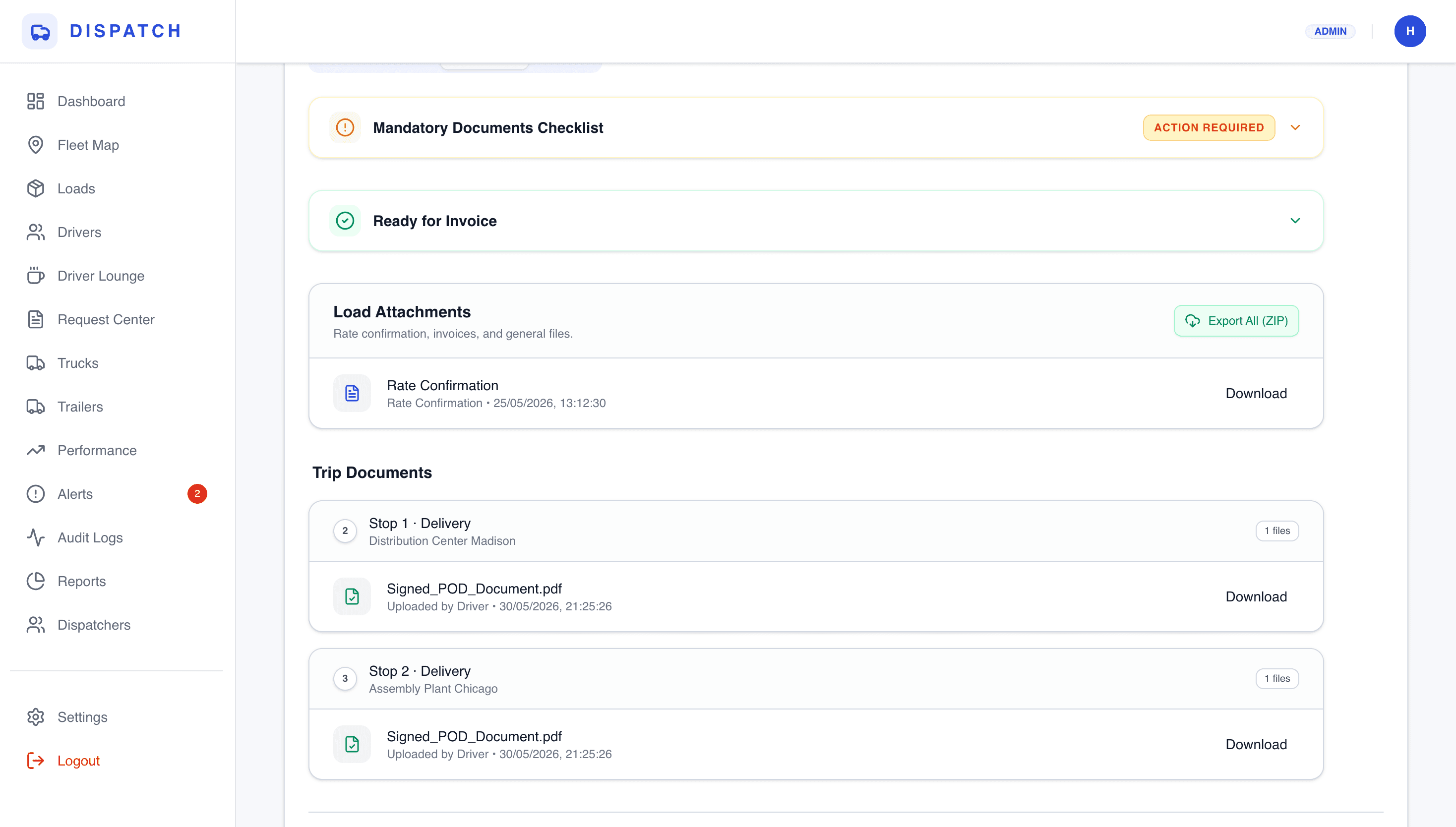
Document and POD flow
POD uploads are connected to the load so dispatch can move completed work toward billing.
Why it matters
Less paperwork chasing and fewer missing documents.
The workflows I built
Load assignment
Dispatch creates and assigns a load. The driver receives the load details and the system keeps the assignment visible.
Trip progress updates
Drivers can update status as the load moves, giving dispatch a clearer picture of what is happening.
POD upload and review
Drivers upload proof of delivery and dispatch can review the document from the load record.
Delivery risk visibility
The system helps the team notice delayed or risky loads earlier instead of reacting after the problem is already visible to the broker.
Every feature was tied to a real operational problem, not added just to make the system look bigger.
Business impact
Less manual chasing
Dispatchers had a clearer place to check status instead of relying on repeated calls and messages.
Faster document handling
PODs and load documents became easier to track because they were connected to the workflow.
Better operational visibility
The team could see more of the daily operation from one system instead of piecing it together manually.
* Exact internal metrics are not shown publicly, but the work focused on reducing manual follow-ups, improving visibility, and making dispatch easier to manage.
What made this technically complex
- Different roles needed different workflows: admin, dispatcher, driver
- Load status and document status had to stay connected
- The system needed reliable data handling for daily operations
- The UI had to be fast and simple enough for real dispatch work
Tech Environment
My role in the project
I worked on the full system from workflow understanding to frontend, backend, dashboards, database structure, and production-ready implementation.
Core Responsibilities
This kind of system is not only for trucking
The same approach can work for any business where teams are stuck tracking work through calls, spreadsheets, WhatsApp, emails, or disconnected tools.